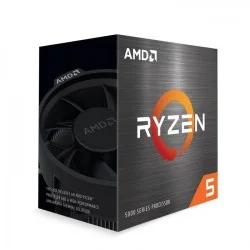
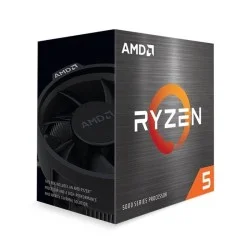
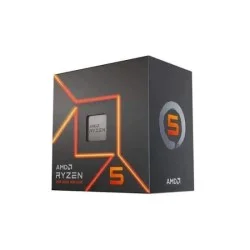
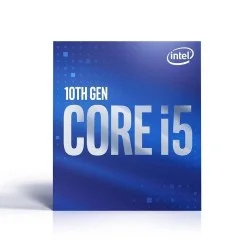
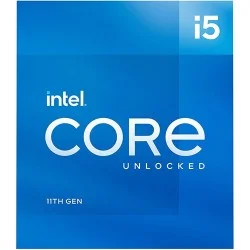
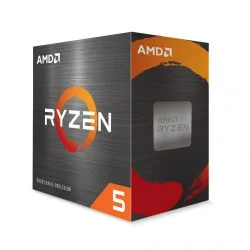
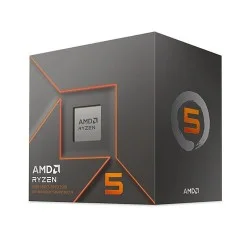
Processor Price in Bangladesh 2026
Creatus Computer, the premier Processor shop in Bangladesh, has updated its price list as of 05-07-2026. With a range spanning from BDT 3,000৳ to BDT 1,482,800৳, they offer 202 different products. Among these, 106 items are currently in stock, of them with the best discount price.
Processor
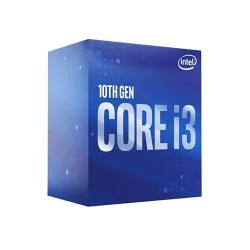
- Intel Core i3 9100
- Clock Speed: 3.60 up to 4.20 GHz
- Cache: 6 MB SmartCache
- Cores 4 & Threads 4
- TDP: 65W
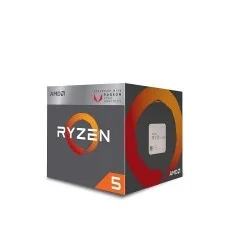
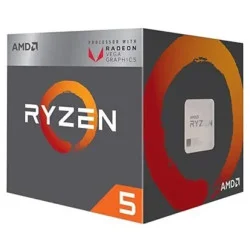
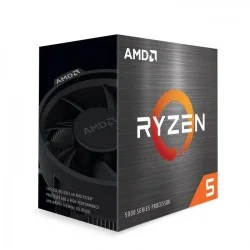
- Ryzen 5 2400G (Tray Box)
- Clock Speed: 3.6GHz Up To 3.9GHz
- Cache: L1 384KB L2 2MB L3 4MB
- 4 Cores & 8 Threads
- Powerful Radeon Vega graphics
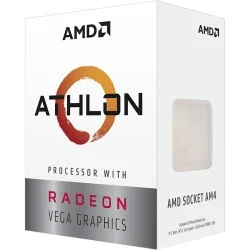
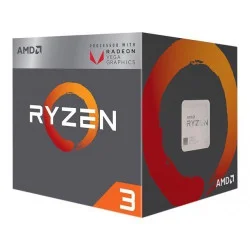
- Ryzen 3 3200G
- Clock Speed: 3.6 GHz up to 4.0 GHz
- Cache: L2 Cache- 2MB L3 Cache- 4MB
- 4 Cores & 4 Threads
- Memory Speed: Up to 2933MHz
- Intel Pentium Gold G7400
- Clock Speed: 3.00 GHz to 3.50 GHz
- Cache: 6 MB Intel Smart Cache
- Cores 2 & Threads 4
- TDP: 46W
- CPU Cores: 6 Thread: 6
- Clock Speed: 3.00 GHz
- Cache: 9 MB SmartCache
- Graphic: Intel UHD Graphics 630
- Speed: 3.7GHz up to 4.2GHz
- Cache: L2: 2MB, L3: 4MB
- Cores-4 & Threads-8
- Memory Speed: Up to 2933MHz
- CPU Cores: 4 Threads: 8
- Cache: 6 MB Smart Cache
- Clock Speed: 3.60 up to 4.30 GHz
- Graphics: Intel UHD Graphics 630
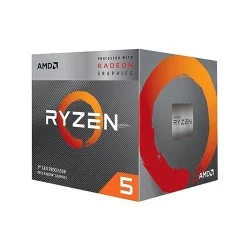
- Ryzen 5 5500 (Tray Box)
- Clock Speed: 3.6GHz; Up to 4.2GHz
- Cache: L2 Cache- 3MB, L3 Cache- 16MB
- 6 Cores & 12 Threads
- Up to 3200MHz DDR4
- Cache: 12 MB
- CPU Cores: 6, CPU Threads: 12
- Clock Speed: 2.60 GHz Up to 4.40 GHz
- Socket: LGA 1200
- Clock Speed: 3.5GHz up to 4.4GHz
- Cache: L2: 3MB, L3: 32MB
- 6 Cores & 2 Threads
- Memory Speed: DDR4 Up to 3200MHz
- Clock Speed: 3.7GHz up to 5.0GHz
- Cache: L2 Cache- 6MB, L3 Cache- 32MB
- Cores 6 & Threads 12
- Memory Size: Max 128 GB
- Clock Speed: 4.2GHz up to 4.7 GHz
- Cache: L2 Cache- 6MB, L3 Cache- 16MB
- Cores 6 & Threads 12
- Memory Size: 256
- Socket: AM5, Type: DDR5
- Clock Speed: 3.10 GHz up to 4.50 GHz
- CPU Cores: 6 Threads: 12
- Cache: 12 MB Smart Cache
- Graphics: Intel UHD Graphics 630
- Clock Speed: 3.7GHz up to 4.7 GHz
- Cache: L2 Cache- 6MB, L3 Cache- 32MB
- Cores: 6, Threads: 12
- Memory Max 128GB
- Socket: AM5 & Type: DDR5
- CPU Cores: 4 Threads: 8
- Cache: 12 MB
- Clock Speed: 3.40 GHz up to 4.50 GHz
- Socket: LGA 1700
- 4 Cores & 8 Threads Performance
- Up to 4.7 GHz Turbo Boost Speed
- Supports DDR5 & DDR4 Memory
- Intel UHD Graphics 730 Integrated
- 4 Cores & 8 Threads
- 3.3 GHz P-Core Clock Speed
- 4.3 GHz Maximum Turbo Frequency
- LGA 1700 Socket
- Ryzen 5 5600X (Tray Box)
- Clock Speed: 3.7GHz Up to 4.6GHz
- Cache: L2 Cache- 3MB, L3 Cache- 32MB
- 6 Cores & 12 Threads
- Memory Speed- 3200MHz
- CPU Cores: 6 Threads: 8
- Cache: 12 MB Intel Smart Cache
- Clock Speeds: Up To 3.4GHz
- Graphics: Intel UHD Graphics 730
- Clock Speed: 2.60 GHz Up to 4.40 GHz
- Cache: 12 MB, Socket: LGA 1200
- CPU Cores: 6, CPU Threads: 12
- Graphics: Intel UHD Graphics 730
Processor Price in Bangladesh - Find the Right CPU for Your Build
The processor is where every PC build starts. It sets the ceiling for how fast your games load, how smoothly your timeline scrubs in an editor, and how many browser tabs and background apps you can run before things start to stutter. Our current stock covers both major brands in real depth — from Intel's Pentium Gold and Core i3/i5/i7/i9 lineup through the newest Core Ultra chips, and from AMD's Ryzen 3 all the way up to Ryzen 9 X3D gaming processors and full Threadripper workstation silicon. Prices run from a modest 3,000৳ for an entry-level Intel Core i3 9100 to well past 1,400,000৳ for a 96-core Threadripper PRO. Whatever you're assembling — a simple home PC, a serious gaming rig, or a rendering workstation — there's a chip in this list built for it.
Latest Processor Price in Bangladesh
| Model | Price Range | Best Use For |
|---|---|---|
| Pentium Gold G7400, Intel Core i3 9100/Intel Core i3 10100 | Under 10,000৳ | Entry-level/basic computing |
| Core i5 & Ryzen 5 (desktop) | 10,000৳ – 27,000৳ | Mainstream gaming and productivity builds |
| Core i7, Ryzen 7, 3D V-Cache gaming chips | 25,000৳ – 50,000৳ | High-performance gaming |
| Core i9 & Ryzen 9 (flagship) | ~40,000৳ – 73,000৳+ | Flagship gaming / heavy multitasking |
| AMD Threadripper & Threadripper PRO (sTR5, sWRX8) | ~188,000৳ – 1,480,000৳+ | Studios and professional workstation use |
Processor Brands and Types in Bangladesh
Choosing the right processor depends on your budget, workload, and performance requirements. Whether you're building a budget office PC, a gaming rig, or a professional workstation, modern CPUs are available in several categories to suit different needs. Below, we'll explore the major processor brands, gaming-focused CPUs, and the different processor types to help you make an informed buying decision.
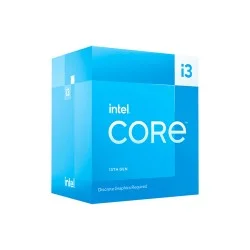
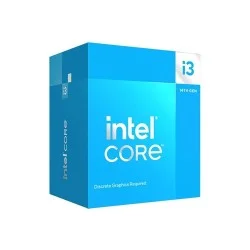
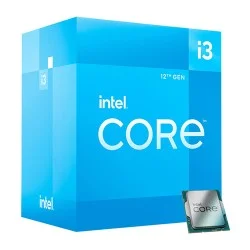
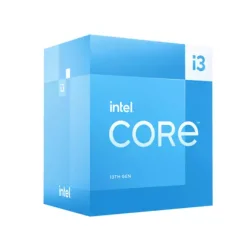
Intel Processor
Intel processors are organized into a clear tiered lineup, making it straightforward to match a chip to a use case. The Pentium Gold series covers basic computing needs like browsing, office work, and media playback. Above that, the Core i3 range suits everyday multitasking and light productivity. Core i5 is the most versatile tier — capable enough for gaming, content consumption, and general professional work, which is why it's often the default recommendation for a balanced build. Core i7 steps up for users who run heavier multitasking, content creation, or demanding software alongside gaming. Core i9 is aimed at power users and creators who need maximum multi-core performance for rendering, encoding, or simulation work. Intel's newest Core Ultra series introduces a different architecture altogether, focused on improved efficiency and AI-assisted performance, aimed at buyers who want the latest platform rather than the older, well-established socket generations.
AMD Processor
AMD's Ryzen lineup follows a similar tiered structure while emphasizing multi-core efficiency and platform longevity. The Ryzen 3 series fits basic desktops and budget builds, particularly ones that rely on integrated graphics rather than a dedicated GPU. Ryzen 5 is the mainstream sweet spot, offering strong price-to-performance for gaming and daily productivity. Ryzen 7 adds extra cores and threads for users juggling creative workloads, streaming, or heavier multitasking. Ryzen 9 sits at the consumer flagship level, built for demanding creative and computational tasks. Beyond the standard Ryzen desktop chips, AMD's Threadripper and Threadripper PRO series target professional workstations, offering exceptionally high core counts for rendering, simulation, and other workloads that scale well across many threads.
Gaming Processor
Gaming performance depends heavily on strong single-core and per-core cache performance rather than raw core count alone, which is why certain chips are specifically engineered with gamers in mind. Both Intel and AMD offer processors built around this priority — Intel through its higher-end Core i5, i7, and i9 chips, and AMD through its 3D V-Cache gaming processors, which use additional cache memory to boost frame rates in cache-sensitive titles.
For most gaming setups, a mid-tier chip paired with a strong graphics card delivers the best balance, while enthusiasts chasing the highest possible frame rates at high refresh rates typically look toward the upper-tier or cache-enhanced options from either brand.
Types of Processors
Processors can generally be grouped by intended use rather than just brand or tier. Entry-level processors are designed for basic computing, office tasks, and media consumption, prioritizing efficiency and affordability over raw power. Mainstream processors balance cost and performance, making them suitable for gaming, everyday productivity, and moderate multitasking. Performance and enthusiast-class processors offer higher core counts and clock speeds for creative work, heavy multitasking, and demanding games. Workstation-class processors are built for professional environments — video editing, 3D rendering, engineering simulations, and other workloads that benefit from very high thread counts and expanded memory support. Choosing between these categories comes down to matching the processor's intended workload to your own use case, rather than simply picking the newest or most powerful option available.
Intel vs AMD Processor
Both brands make excellent CPUs, and the "better" choice really comes down to your use case and budget. Here's a direct comparison:
| Factor | Intel | AMD |
|---|---|---|
| Performance | Strong single-core speed | Strong multi-core performance |
| Gaming | Excellent, especially high-refresh gaming | Excellent, X3D chips lead in many titles |
| Productivity | Good, especially with Quick Sync for video | Excellent for heavily threaded workloads |
| Power Consumption | Efficient on the Core Ultra series | Efficient on the AM5 platform overall |
| Integrated Graphics | Reliable on non-F series | Solid Radeon graphics on non-X series |
| Price | Competitive across all tiers | Often better value at mid-range |
| Upgrade Path | LGA1700 / LGA1851 | AM5 (longer-term platform support) |
| Best Choice | Gamers wanting top single-core speed, editors using Quick Sync | Budget-conscious buyers, multitaskers, creators |
In short: if you want the strongest single-core gaming performance or rely on Intel-optimized video encoding, Intel is the safer pick. If you want more cores and threads for the same budget, or you're building a future-upgradeable AM5 platform, AMD Ryzen usually offers better long-term value. Neither is a wrong choice — it depends on what you're building the PC to do.
Choose the Right Processor for Your Needs
Start with your budget and work backward: the CPU usually accounts for 15–25% of a total build cost. Match core and thread count to your workload — 6 cores is a fine baseline for gaming, while video editing and rendering benefit from 8 or more. Then check socket compatibility against your motherboard, since AM4, AM5, LGA1200, LGA1700, and LGA1851 boards are not interchangeable, and confirm whether the chip needs DDR4 or DDR5 memory before you finalize your RAM purchase.
Best Processor by Use Case
Students and office users are well covered by the Pentium Gold, Core i3, or Ryzen 3 3200G. Gamers get the most value from Core i5/i7 or Ryzen 5/7, especially the X3D models. Video editors and graphic designers should look at Core i7/i9 or Ryzen 7/9 for the extra cores, and professionals running rendering or simulation software are best served by AMD's Threadripper or Threadripper PRO series.
Why Buy From Creatus Computer
Every processor we sell is a genuine, officially distributed unit backed by a manufacturer's warranty, and our stock is refreshed regularly as new Intel and AMD generations arrive in Bangladesh. Beyond competitive pricing, our team can help confirm that a given CPU actually matches your motherboard, RAM, and cooling before you check out, with fast delivery across Dhaka and nationwide shipping.
FAQ - Processor Price in BD
What's the cheapest processor available?
The Intel Core i3 9100 currently starts our list at 3,000৳, making it the most affordable option in stock.
Which processor is best for gaming?
AMD's X3D chips (7600X3D, 7800X3D, 9800X3D) and Intel's Core i5/i7 range both perform excellently; the right pick depends on budget and the rest of your build.
Should I choose Intel or AMD?
Choose Intel for strong single-core speed and Quick Sync encoding; choose AMD for more cores and threads per taka, or a longer-term AM5 upgrade path.
What's the most powerful processor you carry?
The AMD Ryzen Threadripper PRO 9995WX, a 96-core, 192-thread workstation chip, sits at the top of our lineup.
Can I upgrade my processor later?
Yes, as long as the new chip uses the same socket as your motherboard — AM4, AM5, LGA1200, LGA1700, or LGA1851 — and your BIOS supports it.
Do these processors include graphics?
Yes, processors like the Ryzen 5600G, 8500G, 8700G, and Intel's non-F Core series include integrated graphics, so a dedicated GPU isn't required to get a display running.