Power Supply Price in BD: Find the Right PSU for Your PC
Are You Looking for the current power supply price in BD? A Power Supply Unit (PSU) is the component that converts wall AC power into clean, stable DC power for your CPU, GPU, motherboard, and storage drives. Whether you're building a basic office desktop, a mid-range gaming rig, or a high-end workstation, choosing the right PSU protects your hardware and keeps your system running reliably for years. Creatus Computer stocks power supplies from trusted brands across a wide wattage range, so you can match your PSU to your exact build instead of over- or under-spending.
What a Power Supply Does — and Why It Matters
Every other part inside your PC depends on the PSU. A weak or low-quality unit can cause random shutdowns, damaged components, or instability under load, especially when running a dedicated graphics card. A good PSU delivers consistent voltage, filters out power spikes from the mains, and includes built-in protections such as over-voltage, over-current, and short-circuit safeguards. In short, it's not a place to cut corners, even on a budget build.
Types of Power Supplies Available at Creatus Computer
Power supplies sold in Bangladesh generally fall into a few key categories, and understanding them makes comparing the power supply price in BD much easier:
- By wattage — ranging from compact 200W–300W units for basic office PCs up to 1000W+ models for high-end gaming and content-creation rigs.
- By efficiency rating — 80 Plus, 80 Plus Bronze, 80 Plus Gold, and 80 Plus Platinum, which indicate how much input power is wasted as heat. Higher ratings mean lower electricity bills and less heat inside your case.
- By cable design — Non-Modular (all cables fixed), Semi-Modular (some cables detachable), and Full Modular (all cables detachable), which affects cable clutter and airflow.
- By form factor — the standard ATX form factor fits the vast majority of desktop cases sold today.
Key Factors to Consider Before You Buy
Before comparing the desktop power supply price in BD across brands, weigh these factors so you land on a unit that actually fits your setup:
- Wattage headroom: Add up your CPU and GPU's rated power draw and leave 20–30% headroom for stability and future upgrades — don't just buy the cheapest unit that "just" meets the number.
- Efficiency certification: An 80 Plus Bronze or Gold unit runs cooler, quieter, and more efficiently than an uncertified PSU of the same wattage.
- Connector availability: Confirm the unit has the correct 24-pin ATX, 4+4 pin CPU, PCIe, and SATA connectors for your motherboard and graphics card.
- Modularity: If you care about cable management and airflow, a semi- or full-modular PSU is worth the small price premium.
- Brand reliability and warranty: Established brands generally offer better protection circuitry and after-sales support.
- Noise and cooling: Look for a well-sized fan (typically 120mm) with smart fan-control so the PSU stays quiet under normal load.
Recommended Wattage by Build Type
| PC Build Type |
Recommended Wattage |
Suggested Efficiency |
| Basic office / home PC |
300W – 400W |
80 Plus |
| Budget gaming PC |
450W – 550W |
80 Plus Bronze |
| Mid-range gaming PC |
600W – 750W |
80 Plus Bronze / Gold |
| High-end gaming / content creation |
850W and above |
80 Plus Gold / Platinum |
Popular Power Supply Picks at Creatus Computer
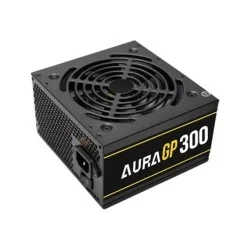
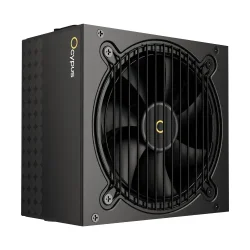
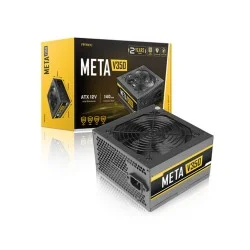
Creatus Computer carries a wide selection across every wattage tier, so you can compare the pc power supply price in BD from multiple trusted brands in one place. Some popular options include:
You can also browse by brand, including Corsair Power Supply, Gigabyte Power Supply, MSI Power Supply, and Value Top Power Supply for more options at every price point.
Complete Your Build
A new PSU often comes alongside other upgrades. While you're planning your build, check out related components: pair your power supply with a well-ventilated PC Casing, a compatible Motherboard, an efficient CPU Cooler, or a capable Graphics Card to complete a balanced system. If you'd rather plan the whole build at once, try our PC Builder tool to make sure every part — including your PSU — is matched correctly.
Frequently Asked Questions
What wattage power supply do I need for my PC?
It depends on your CPU and GPU. Office PCs typically need 300–400W, budget gaming builds run well on 450–550W, and mid-to-high-end gaming or workstation PCs usually need 650W or more. Always leave some headroom above your components' combined power draw.
What does 80 Plus certification mean?
80 Plus is an efficiency rating showing that a PSU converts at least 80% of the AC power it draws into usable DC power, wasting less as heat. Bronze, Gold, and Platinum tiers indicate progressively higher efficiency and generally better build quality.
Is a modular power supply worth the extra cost?
If you value clean cable management and better airflow inside your case, yes. Modular and semi-modular PSUs let you connect only the cables you need, which is especially useful in compact or glass-panel cases.
Can I use a lower-wattage PSU to save money?
You can, but it's risky if it doesn't leave enough headroom for your components, especially the GPU. An undersized PSU can cause instability, random restarts, or long-term hardware stress. It's better to buy slightly above your calculated requirement.
Do all power supplies fit any PC case?
Most desktop PSUs use the standard ATX form factor and fit the majority of mid-tower and full-tower cases. Compact or small-form-factor builds may need SFX units, so it's worth checking your case's supported PSU size before ordering.
Where can I buy a genuine power supply in Bangladesh?
Buy from an authorized retailer like Creatus Computer to ensure you're getting a genuine, warranty-backed unit rather than a counterfeit or grey-market product, which is common with underpriced "too good to be true" listings.
Buy Your Power Supply from Creatus Computer
Creatus Computer stocks genuine power supplies across every wattage and budget range, backed by official warranty support and fast delivery across Bangladesh. Whether you're upgrading an existing PC or building a new one from scratch, our team can help you match the right PSU to your components so your system stays stable, efficient, and protected for the long run.